Best RADIUS Server in 2026: Top Cloud RADIUS Solutions for Wi-Fi and Enterprise Networks
RADIUS servers remain a core component of enterprise network security, enabling organizations to control access across Wi-Fi, VPNs, and wired infrastructure. As networks become more distributed and security threats become more sophisticated, traditional RADIUS deployments are increasingly difficult to manage and scale.
Modern organizations are now shifting toward cloud RADIUS solutions that support certificate-based authentication, integrate directly with identity providers, and align with Zero Trust security models.
However, with multiple vendors offering different approaches, from legacy on-premise servers to cloud-native platforms with integrated PKI, choosing the right RADIUS solution can be challenging.
To help you find the right fit for your organization, we’ve compared the best RADIUS servers in 2026, focusing on real-world usability, security, and customer feedback.
What Is a RADIUS Server?
A RADIUS server stands for Remote Authentication Dial-in User Service server, a centralized system that manages authentication, authorization, and accounting (AAA) for network access. It is commonly used to secure Wi-Fi, VPNs, and wired networks by verifying user and device identity before granting access.
Review Methodology
To identify the best RADIUS servers, we evaluated each solution based on real-world enterprise requirements. Our analysis focused on:
- Authentication capabilities – Support for certificate-based authentication (EAP-TLS) vs. credential-based methods
- Cloud vs. on-prem deployment – Scalability, ease of management, and infrastructure requirements
- PKI and lifecycle automation – Certificate issuance, renewal, and revocation capabilities
- Integration ecosystem – Compatibility with identity providers, MDMs, and network infrastructure
- Customer feedback – Insights from verified reviews on platforms like G2
- Security alignment – Support for Zero Trust and passwordless authentication
This approach ensures that each solution is evaluated on the ability to deliver secure, scalable, and practical network authentication.
RADIUS Server Comparison Table
| Company | Standout Features | Best for | G2 Rating | Number of Reviews |
| SecureW2 | Cloud RADIUS + PKI, Certificate-Based Auth, Automation | Zero Trust Wi-Fi and Enterprise Authentication | 4.7/5 | 96 |
| Microsoft NPS | Active Directory Integration, On-Prem RADIUS | Legacy Environments | 4.7/5 | 3 |
| Keytos | Cloud RADIUS + PKI Tools | PKI-Centric Environments | 4.5/5 | 2 |
| JumpCloud | Directory + RADIUS Integration | Identity and Device Management | 4.5/5 | 3,943 |
| Foxpass | Lightweight Cloud RADIUS | SMBs | 4.6/5 | 60 |
1. SecureW2: Best RADIUS Server for Wi-Fi and Zero Trust
G2 Rating: 4.7/5 (96 Reviews)
SecureW2 delivers a fully cloud-native RADIUS platform combined with built-in managed PKI, enabling organizations to implement secure, certificate-based authentication across Wi-Fi, VPNs, and network infrastructure.
Unlike traditional RADIUS solutions that rely on passwords and complex integrations, SecureW2 is built around a certificate-first model using EAP-TLS. This allows organizations to eliminate credential-based risks entirely.
The platform integrates Cloud RADIUS, PKI, and policy enforcement into a single system. After issuance, certificates play an active role in real-time access control.
Organizations can automatically onboard users and devices, enforce identity-based policies, and revoke access instantly when conditions change. SecureW2 also replaces reliance on legacy systems like LDAP by communicating directly with identity providers during authentication.
Best Cybersecurity Industry Solution Awards
In addition to individual product awards, the SecureW2 JoinNow Platform won first place in four industry categories at the Cybersecurity Excellence Awards.
- Best Government Cybersecurity Industry Solution: The JoinNow Platform was recognized for excellence in government cybersecurity.
- Best Technology Sector Cybersecurity Industry Solution: SecureW2 was named best technology sector cybersecurity solution.
- Best Retail Cybersecurity Industry Solution: The JoinNow Platform was awarded in the retail cybersecurity category for providing seamless certificate-driven access control and automation.
- Best Financial Services Cybersecurity Industry Solution: The JoinNow platform was recognized as a leading cybersecurity solution in financial services for its robust cloud PKI.
G2 Recognition
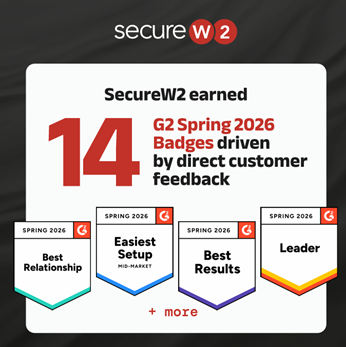
SecureW2 earned 14 G2 Spring 2026 badges, driven entirely by verified customer feedback
- Leader in Network Access Control and Certificate Lifecycle Management
- Recognized for:
- Easiest Setup
- Ease of Administration
- Product Performance
- Best Relationship
G2 rankings come directly from users who implemented the product and shared their experience. SecureW2 makes certificate-based authentication something a lean IT team can deploy and manage. Every badge reflects what customers experience in real-world deployments.
SecureW2 Pros and Cons (G2 Reviews)
| SecureW2 Pros | SecureW2 Cons |
| Implementation “Best Support & Implementation Experience In my Career” ⭐⭐⭐⭐⭐ (5/5) – Josh H., Senior Systems Administrator | Many Features “There is a learning curve when trying to utilize the full feature set” ⭐⭐⭐⭐☆ (4/5) – Joshua T. |
| Network Management “The answer for 802.1X Wi-Fi implementations” ⭐⭐⭐⭐⭐ (5/5) – Michael J., Chief Technology Officer | Integration With Support “led through the configuration by SecureW2.” ⭐⭐⭐⭐⭐ (5/5) – Steve B., CISO |
| Support and Reliability “Quick and Easy Access to the Wi-Fi with Secure Architecture” ⭐⭐⭐⭐⭐ (5/5) – Shamyog T., IT Engineer | In-Depth Setup “Some setup steps can be a bit complex” ⭐⭐⭐⭐⭐(5/5) – Verified User |
https://www.g2.com/products/securew2-joinnow/reviews
Why SecureW2 Stands Out
- Certificate-based, passwordless authentication
- Fully automated certificate lifecycle management
- Seamless integration with IdPs and MDM platforms
- Unified platform (RADIUS + PKI + policy)
Considerations
- Pricing is customized based on deployment
2. Microsoft NPS: Traditional RADIUS for Existing Infrastructure
G2 Rating: 4.7/5 (3 Reviews)
Microsoft Network Policy Server (NPS) is one of the most widely used RADIUS solutions in enterprise environments, primarily due to its integration with Active Directory.
It provides basic authentication and authorization capabilities and is often used in organizations that rely heavily on Microsoft infrastructure.
However, NPS is an on-prem solution and requires manual configuration of a Windows RADIUS server for most advanced use cases, including certificate-based authentication.
As organizations scale or move to the cloud, managing NPS can become increasingly complex and resource intensive.
Microsoft NPS Pros and Cons
Strengths
- Native integration with Active Directory
- Familiar interface for IT teams
Limitations
- Not cloud-native
- Limited automation
- Requires additional tools for modern authentication
3. Keytos: Cloud RADIUS With Broader PKI Capabilities
G2 Rating: 4.5/5 (2 Reviews)
Keytos offers a cloud-based platform that includes RADIUS as part of a broader PKI and identity ecosystem.
Its strength lies in its ability to support multiple certificate use cases, including SSH access and infrastructure authentication.
While Keytos supports certificate-based authentication, its RADIUS functionality is part of a wider feature set rather than a deeply optimized network authentication solution.
This broader scope can be useful for organizations with diverse needs, but it may introduce additional complexity when the primary goal is securing Wi-Fi or network access.
Keytos Pros and Cons
Strengths
- Strong PKI capabilities
- Supports multiple certificate use cases
Limitations
- Less focused on Wi-Fi authentication
- A broader feature set increases complexity
https://www.g2.com/products/ezmonitor/reviews/ezmonitor-review-8985916
4. JumpCloud: Identity and Directory-Focused RADIUS
G2 Rating: 4.5/5 (3,943 Reviews)
JumpCloud provides a cloud directory platform with integrated RADIUS functionality. It primarily uses EAP-TTLS/PAP and PEAP-MSCHAPv2 for user credential protection. JumpCloud also provides dual-client support for User Datagram Protocol (UDP) and Transmission Control Protocol (TCP) for reliable, compatible authentication. However, certificate-based authentication is not the default approach and often requires additional configuration.
By offering centralized control over users and system, JumpCloud is well-suited for organizations that prioritize identity and device management. While JumpCloud covers the entire market segment, reviews suggest small businesses and mid-market enterprises are common users of the platform.
JumpCloud supports some innovative MDM features, but they are over-dependent on operating systems and credentials. There are also some naming issues with the VLAN assignment in its RaaS services, and some users felt its directory services could not act as a complete replacement for Active Directory (AD).
JumpCloud Pros and Cons
| JumpCloud Pros | JumpCloud Cons |
| Unified Directory “Strong Cross-Platform Directory & Device Management for Growing Security Teams” ⭐⭐⭐⭐☆ (4/5) – Travis S., Sr. Security Engineer | App Installation “deployment and app installation could be improved” ⭐⭐☆☆☆ (2/5) – Cristian Y., Tech Support Specialist |
| Onboarding “Smooth Onboarding with Room for Improvement” ⭐⭐⭐⭐☆ (4/5) – Francisco M. | Credential-Based Authentication “SSO Integration API Worked, But UI Experience Needs Improvement” ⭐⭐☆☆☆ (2/5) – Abhishek S. |
| Ease of Use “Efficient SSO & User Management, But Needs More Integrations” ⭐⭐⭐⭐☆ (4/5) – Ruben S., DevOps Engineer | Terrible User Experience “It takes multiple hours to sync your JumpCloud password with your laptop password” (0/5) – Phillip V., Account Executive |
https://www.g2.com/products/jumpcloud/reviews
Strengths
- Strong identity management capabilities
- Good integrations across platforms
Limitations
- Limited PKI capabilities
- Not certificate-first
5. Foxpass: Lightweight RADIUS for Smaller Environments
G2 Rating: 4.6/5 (60 Reviews)
Foxpass is a cloud-based RADIUS solution focused on simplicity and ease of deployment. Foxpass services typically use EAP-TTLS/PAP for authentication. It is an outdated protocol that does not use encryption for user authentication and transmits credentials as plain text, making them highly susceptible to cyber-attacks.
Foxpass also supports the PEAP-MSCHAPV2 protocol, which heavily depends on credentials and has known vulnerabilities. PEAP uses a modified TLS handshake and MSCHAPv2 to authenticate credentials. It is often used by smaller organizations or teams that need a basic RADIUS setup without complex infrastructure.
While Foxpass covers all market segments, reviews suggest mid-market enterprises comprise the largest share of customers. Foxpass allows users to define their own rules for multiple operating systems using pre-configured LDAP protocol and enables users to use the same Foxpass credentials for Wi-Fi or LAN networks.
Most customers felt that implementing LDAP and RADIUS services was hassle-free with Google Workspace and other similar applications. They were also satisfied with the customer support’s response and felt Foxpass simplified the entire authentication process. Additionally, customers found that Foxpass integrated well with different SaaS directories.
While it provides essential functionality, Foxpass lacks the automation, scalability, and advanced security features that enterprise environments require.
Foxpass Pros and Cons
| Foxpass Pros | Foxpass Cons |
| Efficient Access Management “Efficient Access Management, but Needs UI Improvements” ⭐⭐⭐⭐☆ (4/5) – Mark V. | Security Limitations “Set-and-Forget with Some Service Drawbacks” ⭐⭐☆☆☆ (1.5/5) – Tyler J. |
| Ease of Use and Support “Easy-to-Use Interface with Great Support and Clear Documentation” ⭐⭐⭐⭐☆ (4/5) – Jason C., Director of Technology and Innovation | Scalability “LDAP Logs Need Improvement Despite Strong EAP-TLS Authentication” ⭐⭐☆☆☆ (2.5/5) – Verified User |
| Integrations “Simplifies LDAP administration” ⭐⭐⭐⭐☆ (4/5) – Keith C. | Trouble Finding Documentation “difficulty finding certain screens and relevant documentation” ⭐⭐⭐⭐☆ (4/5) – Verified User |
https://www.g2.com/products/foxpass-by-splashtop/reviews
Strengths
- Easy to deploy
- Cost-effective
Limitations
- Limited scalability
- Minimal automation
How To Choose the Best RADIUS Server
Today, there are numerous cloud RADIUS services available to enterprises. For an already-busy network administrator, choosing the right one can be confusing and overwhelming. As you consider your options, keep these RADIUS server requirements in mind:
- Scope
- Environment
- Internal Time Commitment and Expertise
- Regulatory Compliance Requirements
- Integration and Ease of Deployment
- Compatible Authentication Methods and Security Features
- Support and Documentation
- Regular Updates
- Budget
- Scalability
Scope
How many users and devices do you manage? What access controls do you require? Do you need network authentication for wired, wireless, or VPN connections — or all of the above? How important is accounting support?
Get a clear picture of the scope of your RADIUS needs before comparing solutions.
Environment
Do you have the resources necessary to manage on-prem infrastructure, or do you prefer a cloud-based RADIUS solution? There’s no single right answer — it depends on your business, facilities, staff, and budget.
Internal Time Commitment and Expertise
Do you want a managed service provider to set up, implement, onboard, and maintain your server? If not, you’ll need to handle implementation and management in-house, which requires niche expertise and internal resources.
Regulatory Compliance Requirements
For managed solutions, not all RADIUS providers offer the same built-in compliance. Identify your needs and compare solutions.
Integration and Ease of Deployment
Ideally, any enterprise RADIUS server you use should be able to integrate with your existing infrastructural components. Having to make any huge changes or forklift upgrades to your infrastructure will just draw out the length of deployment — leaving your network vulnerable for an even longer amount of time.
Look for information about which identity providers the RADIUS integrates with, such as Azure/Entra ID or Google Workspace.
Compatible Authentication Methods and Security Features
Consider what type of authentication you want to use along with your RADIUS. Many organizations still use credentials, which most RADIUS servers support.
However, digital certificates offer vastly superior security, and deployment is simple with a good managed PKI service. If you’re interested in this route, you will need to ensure your RADIUS server is compatible with digital certificates.
You’ll also want to think about the authentication protocols supported by each RADIUS service’s infrastructure. This is often related to whether you’ll be using certificates or passwords. We recommend EAP-TLS given its speed and compatibility with digital certificates. However, not all RADIUS services are guaranteed to support it in their standard service. Alternatively, they may support protocols like PEAP-MSCHAPv2, which encrypt credentials.
Don’t forget to evaluate directory support. For example, if you use Active Directory, EAP-TTLS/PAP won’t support it. Finally, if you want other security features such as multi-factor authentication (MFA), verify that they’re compatible with your RADIUS solution.
Support and Documentation
RADIUS servers require expertise to set up and maintain on a day-to-day basis. Having detailed supporting documentation will give you the resources you need to reference in the future if any issues arise.
The addition of a support team is even better. Who better to help you quickly resolve issues than the people who built the RADIUS and work with it every day? Not all RADIUS services offer the same amount of support, though, so this is something to keep in mind while you look at your options.
Regular Updates
Any security-conscious professional knows that your security measures must adapt to keep up with emerging threats. Similarly, any RADIUS service you utilize should also evolve to keep up with the times.
Vigilant RADIUS services often develop and release new features. Examples recent additions to some services include features like RadSec or Change of Authorization.
Budget
What are you willing to invest in the right RADIUS authentication software? In addition to basic implementation and recurring costs, consider the return on investment (ROI) of each solution: the potential time and cost savings relative to the features offered.
Scalability
While most RADIUS solutions are inherently flexible and scalable, it’s still a critical detail to verify.
What’s your business growth plan over the next three, five, or 10 years? While the best RADIUS solution should accommodate your current needs, it also must scale as your organization expands.
Best RADIUS Servers for Enterprise
Cloud Infrastructure
Passwordless
Cloud RADIUS is a managed RADIUS service that offers secure, passwordless authentication with digital certificates. It pairs with the JoinNow Dynamic PKI and easy onboarding and deployment tools, such as the SecureW2 MultiOS dissolvable onboarding client and managed device gateways.
Cloud RADIUS is known for its vendor-neutrality and ability to seamlessly fit into any infrastructure. With its supporting team of engineers, it can be deployed in under an hour.
What’s more, Cloud RADIUS empowers organizations to move past legacy protocols like LDAP. Since it can communicate directly with your identity provider (IdP) at the time of authentication, you don’t need a duplicate LDAP directory server. Without ties to legacy protocols, Cloud RADIUS makes it simple for enterprises to move to the cloud for all their authentication needs.
Password and LDAP-Based
There are many cloud RADIUS servers available that utilize LDAP today. Many of them have attractive features, such as free trials of varying lengths that allow your administrators to get a feel for how they work prior to large-scale deployment.
Some have additional perks, too, such as multi-tenant portals for MSPS or the ability to integrate with major IdPs. A common drawback of these types of RADIUS servers is their reliance on cloud LDAP servers rather than direct communication with your IdP. Unfortunately, there are plenty of reasons for organizations to steer away from LDAP these days.
Additionally, many of these services aren’t designed for passwordless authentication by default. The main authentication protocol they tend to support is EAP-TTLS/PAP. This doesn’t mean that you can’t go passwordless with such services, but some require you to purchase an add-on to do so with EAP-TLS.
Which Is Better: RADIUS or LDAP?
RADIUS helps regulate network access across wired, Wi-Fi, and VPN connections. On-premise or cloud-based, it can authenticate, authorize, and provide accounting support (AAA) via passwordless certificate-based authentication or user credentials. RADIUS runs on User Datagram Protocol (UDP), which is efficient, but doesn’t require a confirmed connection to transmit data packets.
Lightweight Directory Access Protocol (LDAP) is an authentication protocol like RADIUS. It’s typically on-prem only without cloud options, and while it can authenticate and authorize users, it doesn’t have accounting support. LDAP runs on Transport Layer Security (TLS). It doesn’t secure credentials to the same degree as RADIUS, and it doesn’t support passwordless (certificate-based) authentication.
If you’re deciding between LDAP vs. RADIUS, RADIUS is a more flexible, robust, and secure option.
Open Source
In terms of monetary expenditure, open-source RADIUS servers are a noteworthy option. Since they are open source, they are generally readily available, and you don’t have to pay licensing fees.
But like many other “free” things, open-source RADIUS servers are an entirely unmanaged service. You will need to configure it and deploy it yourself within your organization. Furthermore, it may not include any access to a support team by default, although some open-source RADIUS servers may offer additional support for a variable price.
Legacy and On-Premise
For some organizations, on-prem RADIUS servers are the preferred choice. This could be the case, for example, if you’ve already set up the necessary infrastructure for one in the past or you only have one office location to worry about.
But in many other situations, cloud-based RADIUS services are a far superior choice. They don’t require replication across multiple locations, they’re generally simple to deploy, and you don’t have to invest in physical security measures to protect them from local weather conditions or threats.
Ready To Choose the Best RADIUS Server?
The right RADIUS server does more than authenticate users; it becomes a critical part of your security architecture. From securing Wi-Fi access to enforcing Zero Trust policies, the right solution should reduce complexity while improving security and scalability.
SecureW2 provides a modern, cloud-native RADIUS platform designed for enterprise environments. By combining Cloud RADIUS with integrated PKI and automated certificate lifecycle management, organizations can eliminate passwords, simplify operations, and implement Zero Trust at scale.
“Security teams need the highest level of assurance, which requires verifying every user and device — not just once, but continuously,” said SecureW2 CEO and co-founder, Bert Kashyap. “SecureW2 delivers this through a dynamic, ecosystem-based approach that enforces access decisions as risk levels change.”
As cyber threats continue to evolve, SecureW2 remains committed to pioneering passwordless, certificate-driven security that adapts in real time, helping organizations defend their infrastructure 24/7.
Explore how SecureW2 can help you modernize your network authentication and stay ahead of evolving security challenges.